HIWIN robot EtherCAT errors in HRSS (01-01-21, 01-01-22, 01-01-2D): how to solve
HIWIN HRSS EtherCAT alarms 01-01-21, 01-01-22, 01-01-2D, 01-01-2E, 01-01-3D: what they mean, the usual causes and the first safe checks before calling.
Summary
EtherCAT alarms mean the controller PC lost contact with, or could not start, the network to the servo drives. They are normal after an emergency stop or a power cut, so check the alarm history for what came first before treating them as the root cause. Shut the controller down, wait a few minutes and restart, but do not open the controller yourself.
Symptoms
The robot stops, the servos switch off and the teach pendant shows one or more EtherCAT alarms. The most common are:
- 01-01-21 EtherCAT disconnection: the link was lost while running.
- 01-01-22 EtherCAT initialization failure: the network could not start, usually at power-on.
- 01-01-2D EtherCAT SAFEOP changing error and 01-01-2E EtherCAT OP changing error: not every device reached the running state.
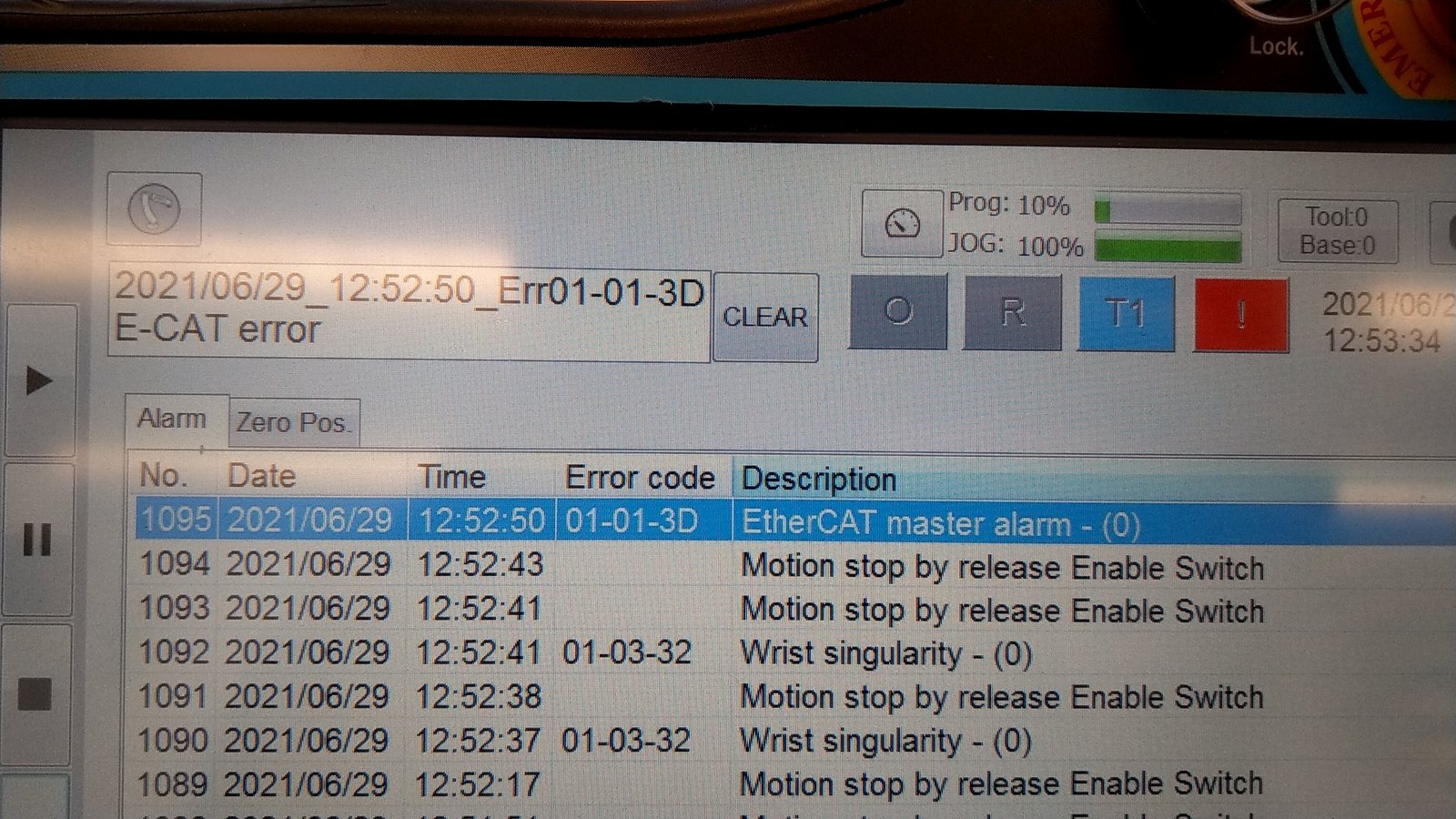
- 01-01-3D EtherCAT master alarm: the fault was detected on the controller PC side.
They usually come in a burst of several 01-01-xx codes within a few seconds, sometimes followed by drive alarms on several axes. Some cells see them only at the first start of the day. Others see them in the middle of a cycle.
Not always the real cause
These alarms are normal when power is cut or an emergency stop is pressed, because the drives drop off the network. In that case they are a consequence, not the reason the robot stopped. Finding the real trigger often takes a careful look through the full log.
Likely causes
The controller PC talks to every servo drive over EtherCAT, a real-time network that must complete a full exchange every few milliseconds. Anything that breaks or delays it stops the robot.
- Loose connections inside the controller. The internal network cables or connectors can work loose over time, especially with vibration.
- Installation. The controller is mounted where it vibrates too much, or it is not properly grounded.
- Electrical noise. Welders, inverters or large motors nearby, or network cables run alongside power cables. These typically cause random 01-01-21 during operation.
- A device dropping off the network. A drive loses supply, resets or faults. At power-on, a device that is not ready yet gives 01-01-22, 01-01-2D or 01-01-2E.
- Power dips or an earlier abnormal shutdown, which can leave part of the system in a bad state.
- Faulty hardware. If the problem persists, a drive inside the controller, or the controller itself, may need replacing.
Safe checks
- Make the cell safe according to your site’s procedures.
- Photograph the alarm history before resetting. Note the first alarm and what came just before it, such as an emergency stop, a power loss or a drive alarm.
- Note when it happens: only at power-on or during motion, at the same program step, or when nearby equipment starts.
- From the outside, check that the controller sits on a stable, low-vibration surface, has its earth connection in place, has its fans running, and has no power cables bundled with its network cables.
- Shut the controller down properly. Wait at least several seconds, ideally a few minutes, then restart it. Some EtherCAT problems only clear this way. Note whether the alarm comes back.
- Write down the HRSS version and whether the alarms started after an update, a power outage or any work on the cell.
Do not open the controller yourself. Doing so can void the warranty.
When to get help
Book a remote call if the alarms return after a full restart, appear several times a day, or come with drive or position alarms. With the alarm history and your notes, a log analysis can usually tell whether the cause is the installation, the power or the hardware before anyone touches the controller. If the controller is under warranty, or a drive or the controller itself seems faulty, contact your HIWIN supplier or local HIWIN office.
Independent explanation written by Giovanni Ventilii. This is not official HIWIN documentation. Always follow your robot's official manuals, your site's safety procedures and your supplier's instructions.